
Site inspections and handovers — digital, faster, without paper
Conduct quality inspections, snagging walkthroughs and resident handovers from mobile. Complete a checklist, pin findings to floor plans and generate a PDF report in 2 minutes - online and offline.

Faster inspections, less paperwork.
Daily work on site doesn't have to mean stacks of paper protocols and hours spent on reporting. With digital tools, inspections are faster and reports generate automatically - even offline.
Inspection completed in minutes
Ready-made checklists reduce inspection time from hours to minutes - no searching for paper forms, no desk work after the walkthrough.
PDF report generated automatically
The inspection report is ready without sitting down at a computer - generated in 2 minutes, ready to send immediately after the walkthrough.
Defects assigned instantly
Non-conformances found during inspection go directly to the responsible subcontractor - no manual handover, no lost emails.
Standardised inspections every time
Every inspection follows the same checklist template - regardless of who conducts it. Consistent quality across all sites and teams.
Works offline on site
Checklists available on mobile without internet - essential for basements, plant rooms and remote sites with poor signal.
Audit-ready at any time
Complete inspection history always available - no stress before an ISO audit, investor review or regulatory inspection.
Where does Hustro work best?
-
01Quality
Quality inspections
Quality control of works, conformance with design and stage handovers. Ready-made checklists ensure every inspector conducts the inspection to the same standard — regardless of stage, location or team. -
02H&S
Health & safety inspections
H&S checklists aligned with regulatory requirements and internal standards. Every hazard is registered instantly on mobile, assigned to the responsible person and tracked to closure — with a full audit trail for ISO 45001 and CDM compliance. -
03Environmental
Environmental inspections
Environmental impact monitoring, waste management and ESG reporting. Every environmental inspection is documented and ready for a summary report in one click — supporting regulatory compliance and sustainability reporting requirements. -
04Technical
Technical handovers
Formal MEP and final handovers with full documentation — photos, PDF reports and change history. Non-conformances found during handover are automatically assigned to the responsible contractor with a deadline and tracked to resolution. -
05Residential
Resident handovers
Checking finishing standards, documenting defects and generating handover protocols for residents. The entire resident handover process is transparent and ends with a PDF report ready for electronic sign-off — no desk work required after leaving the flat.

See how Hustro digitises inspections and handovers on your construction site — free demo, no commitment.
Book a demoCompanies that conduct inspections and handovers with Hustro

We rely on Hustro for spontaneous inspections, internal handovers and formal sign-offs with the GC

Since implementation, we've seen a significant improvement in our ability to manage safety protocols across all our sites

Hustro streamlined our service management, quality control and resident handovers
Everything you need to conduct inspections and handovers - in one mobile app
From creating checklists to generating a signed PDF report – Hustro covers the entire inspection workflow without paper, without desk work and without delays.
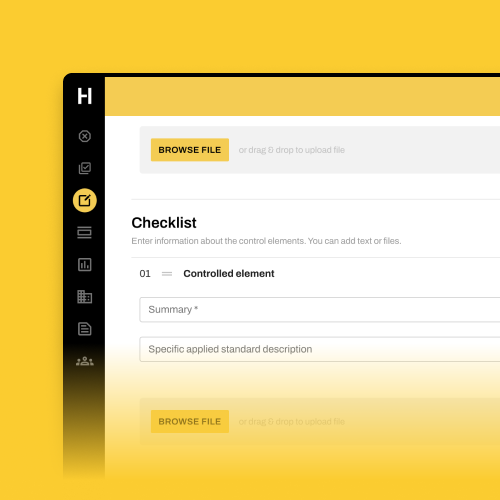
Create and distribute inspection checklists
Build inspection checklists using a simple drag-and-drop builder. Link each checklist item to the relevant drawing or document in the CDE. Share ready checklists with your team instantly – everyone works from the same version.
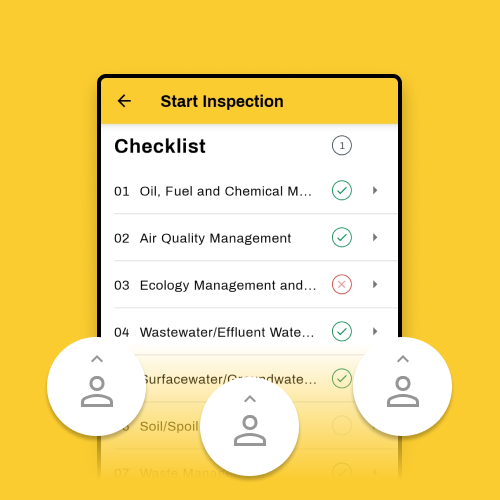
Conduct inspections with multiple team members
Invite colleagues to jointly conduct inspections and walkthroughs on the same checklist. Work together on site – find observations, flag issues and assign defects to responsible parties in real time.
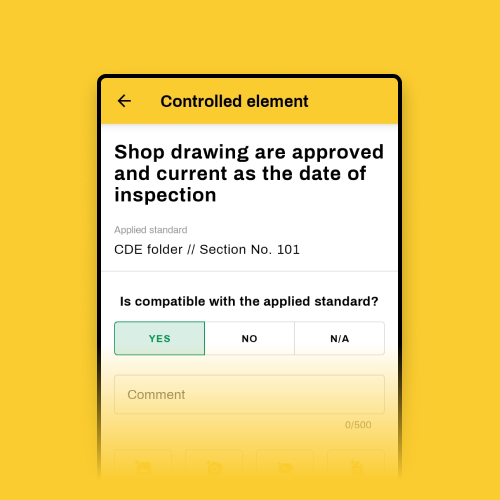
Evaluate each checklist item precisely
Mark each item as Yes / No / N/A, add a comment, photo or video, and create a defect directly from the checklist item. The defect appears instantly in the issue list and is assigned to the responsible subcontractor.
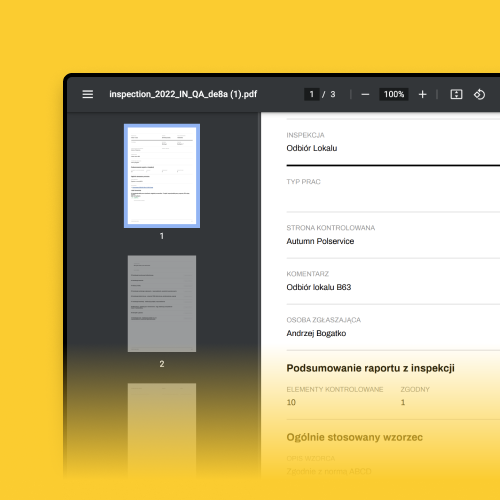
Generate PDF reports in one click
Export a professional inspection report from any checklist with one click – including all findings, photos and responsible parties. Reports are ready to send immediately after the walkthrough. No desk work, no formatting, no delays.
Why Hustro?
| Feature | Paper | Hustro |
|---|---|---|
Creating inspection templates |
||
Conducting team inspections on mobile |
||
Tracking defect statuses in real time |
||
Generating PDF reports from inspections |
||
Sending reports directly after inspection |
||
Photos pinned to floor plans |
||
Works offline on site |
Frequently asked questions
What is construction inspection software?
How quickly can an inspection report be generated in Hustro?
Can Hustro be used for both internal inspections and formal handovers?
Does Hustro support snagging list management?
Does Hustro work offline during site inspections?
How are inspection checklists created in Hustro?
How much does Hustro inspection software cost?
Conduct inspections and handovers
without the paperwork
Book a free demo and see how Hustro digitises your inspection workflows — from checklists to signed PDF reports — in one mobile app.
Book a demo
Our team will get back to you within 24 hours

Tomasz Jones
Digitalisation Specialist